1. Core Concept
Ghost Machines is a hotel for developers.
Each container is a sealed room sharing the building's foundation (host kernel) but with its own walls. You check in, you work, you check out — the building stays pristine.
Check in with make start. Work in mounts/. Check out with clean.sh — nothing leaks to your host.
This is not a VM — no hypervisor. Boots in 1–2 seconds, idles at ~73 MB.
IaC disposable workstations via docker-compose.yml + entrypoint.sh.
Declarative images + bind-mount state. UID/GID sync cures permission hell. LXCFS makes free/htop report cgroup limits, not host totals.
GHCR multi-arch prebuilts on v* tags — pull, don’t build. Immutable core + mutable state = throw-away without loss.
2. Intended Audience
Use Ghost if you want a clean, repeatable place to code without polluting your laptop.
Use it for teaching or renting dev rooms to others.
Don't use it for Windows apps or to test viruses (use a real VM).
Target: Linux coders, devops engineers, AI-agent integrators, classrooms, VPS resellers.
Not for: kernel/driver work, Windows-only software, malware detonation.
For those, see Ghost vs VM.
3. Engines & GHCR Sizes → dedicated page
Four engines, identical toolchain. Pull one — not four. Published on v* tags via .github/workflows/publish.yml, multi-arch linux/amd64,arm64.
| Engine | Base | GHCR Package | Size amd64 / arm64 | Pull |
|---|---|---|---|---|
| ubuntu | ubuntu:latest | ghost-machine-ubuntu:latest | 1.38 / 1.21 GB | docker pull ghcr.io/1999azzar/ghost-machine-ubuntu:latest |
| debian | debian:stable-slim | ghost-machine-debian:latest | 1.36 / 1.20 GB | docker pull ghcr.io/1999azzar/ghost-machine-debian:latest |
| alpine | alpine:latest | ghost-machine-alpine:latest | 1.59 / 1.32 GB | docker pull ghcr.io/1999azzar/ghost-machine-alpine:latest |
| arch | archlinux:latest | ghost-machine-arch:latest | 1.63 / 1.63 GB | docker pull ghcr.io/1999azzar/ghost-machine-arch:latest |
4. Deployment Modes
| Mode | Containers | CPU / RAM (each) | Use |
|---|---|---|---|
| dual | ghost-machine1, ghost-machine2 | 1 core / 8 GB | client-server, multi-node |
| single | ghost-machine-single | 1 core / 8 GB | standard workspace |
| power | ghost-machine-power | 2 cores / 16 GB | heavy builds |
| half | ghost-machine-half | 50% host CPUs / 50% host RAM | scale to host |
Modes select deploy.resources.limits in docker-compose.yml. LXCFS auto-mounts in /proc/cpuinfo,/proc/meminfo,etc for accurate htop/free reporting.
5. Host Prerequisites
Any Linux, macOS, or Windows host with Docker. Linux users get the best experience (LXCFS, host UID sync).
Linux x86_64 / aarch64, macOS 13+ (OrbStack or Docker Desktop), Windows 11 + WSL2.
Docker Engine ≥ 20.10, Compose v2.
make setup-host on Linux installs LXCFS + Docker if missing. macOS/WSL auto-skip LXCFS via start.sh:50.
6. User Management & Authentication
Tenant-based: each host can vend many isolated users. Each tenant is a specimen with its own SSH port, CPU/RAM quotas, and storage mounts/tenants/<id>.
Roles
Registration Flow
- Host: ./tenant.sh add alice --engine debian --port 2225 — auto-creates mount and SSH.
- Tenant: ssh -p 2225 developer@localhost — pass ghost or pre-injected ~/.ssh/id_ed25519.pub.
- Verify: ./tenant.sh list shows RUNNING + port + size.
7. Multi-Tenant Aggregation Hub → dedicated
One host aggregates multiple engines into a unified ghost_sandbox bridge network.
Each tenant is isolated via non-overlapping mounts and per-tenant cgroup limits — no noisy neighbor. Tenants share the network but not the storage.
Cross-engine logic: one host can run Ubuntu for Rust, Alpine for Go, Debian for Node — all on different ports, sharing host kernel but not files.
8. GHCR Feeds (Prebuilt Integration)
Instead of building locally, pull curated prebuilts from GHCR. Published on v* tags, multi-arch linux/amd64,arm64, scoped per-engine so Packages tab shows 4 distinct packages.
GHOST_IMAGE=ghcr.io/1999azzar/ghost-machine-ubuntu:latest ./start.sh -e ubuntu -m single
ssh -p 2223 developer@localhost # pass ghost
9. Snapshot Retention
snapshot.sh tars mounts/ excluding caches (node_modules/.cache, target/, __pycache__, .pytest_cache, logs).
It writes companion .sha256 + .meta.json (host arch, timestamp, file count, hash).
restore.sh verifies SHA and keeps atomic backup — rolls back on failure.
./restore.sh backup.tar.gz --force
10. Engine Specimens
Each ships the same stack:
Go 1.24, Rust rustup minimal, Node 22 + Bun, Python uv/pipx, build-essential/cmake/gdb.
Helix 25.01.1, Micro, Lazygit, Tmux, agy/opencode/kilo + rtk, 7 HeLa MCP servers + Conductor.
11. Layout Customization
Persistent: tenant mounts under mounts/tenants/<id> survive reboots and container recreation.
Layout is host-file, not ephemeral.
Rearranging = re-adding with different --port/--cpu/--mem or moving the folder on host.
12. Auto-Provisioning
Zero-touch provisioning:
./start.sh -e ubuntu -m single auto-builds if no GHCR image is found.
./tenant.sh add alice --engine debian auto-allocates a port from 2225 if omitted.
make setup-host on Linux installs LXCFS + Docker if missing.
./tenant.sh add carol --engine alpine --port 2227 # explicit port
./start.sh --no-lxcfs -t $TUNNEL_TOKEN # Cloudflare remote
13. Logic Matrix
- LISTEN & MATCH — Match engine + mode + GHOST_IMAGE to compose profile (dual/single/power/half).
- EVALUATE — Resolve UID/GID, LXCFS, SSH key, tunnel token, host AGY binary.
- IF/ELSE IF — If GHCR image exists → reuse (GHOST_IMAGE honored); else → build via Buildx.
- WEBHOOK DISPATCH — Cloudflare Tunnel if TUNNEL_TOKEN set.
- INTER-WIRING — Tenant snapshots chain to restore (max depth enforced).
- MANUAL OVERRIDE — ./clean.sh --nuke for full purge test.
14. How-To Guide ▶ watch 1.8 min demo
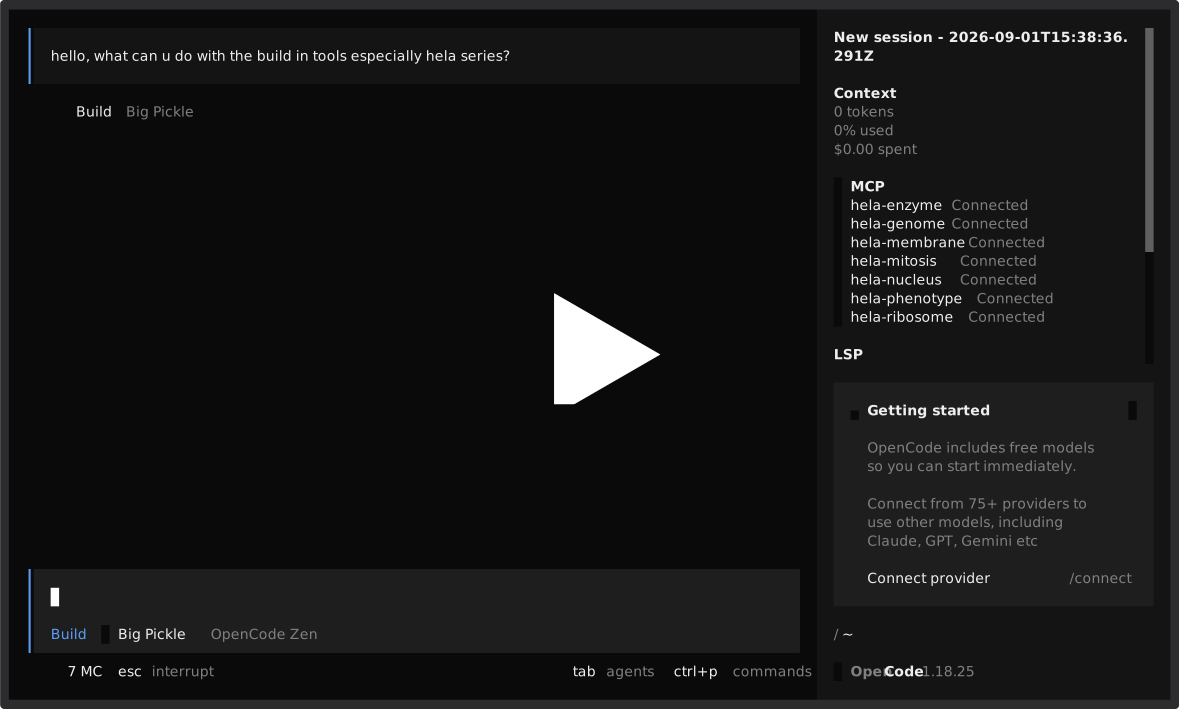
Single Workspace (Beginner)
- git clone https://github.com/1999AZZAR/ghost-machines.git && cd ghost-machines
- make setup-host (once, Linux)
- docker pull ghcr.io/1999azzar/ghost-machine-ubuntu:latest
- GHOST_IMAGE=ghcr.io/1999azzar/ghost-machine-ubuntu:latest ./start.sh -e ubuntu -m single
- ssh -p 2223 developer@localhost — pass ghost
Multi-Tenant (WaaS)
docker pull ghcr.io/1999azzar/ghost-machine-debian:latest
./tenant.sh add alice --engine debian --port 2225
./tenant.sh add bob --engine ubuntu --cpu 4 --mem 8G
# or build locally
./tenant.sh add alice --engine debian --build
# manage
./tenant.sh list · stats · snapshot alice · delete bob -y
15. Security Protocol
Multi-layered, but container is not a security boundary — for hostile code use a real VM.
| Layer | What |
|---|---|
| Defaults | developer:ghost / root:ghost — dev-only; rotate to key-only for any real use |
| SSH | Key-only via SSH_PASSWORD_AUTH=false, per-tenant authorized_keys |
| Identity | UID/GID sync via entrypoint.sh |
| Remote | Cloudflare Tunnel (zero-trust), GHCR via GITHUB_TOKEN |
16. Ghost vs VM → dedicated
| Ghost | VM | |
|---|---|---|
| Engine | Docker + compose | KVM / QEMU / VirtualBox |
| Boot | 1–2s | 30–120s |
| Idle RAM | ~73 MB | 0.5–2 GB |
| Kernel | shared host | own |
| Isolation | weak (container escape = host) | strong (hypervisor boundary) |
| Use | disposable dev, agents, WaaS, CI | Windows, kernel, malware |
17. Scripts → dedicated page
Hotel staff — each script is a role.
| Script | Role |
|---|---|
| start.sh | Front desk — pick engine/mode, sync UID/GID, wire LXCFS/GHCR |
| tenant.sh | Manager — vend many isolated rooms (WaaS) |
| snapshot/restore | Backup + verified undo (SHA, atomic rollback) |
| clean.sh | Housekeeping — L1–4, L4 = full GHCR nuke |
18. Cleanup → dedicated
| Level | Command | Effect |
|---|---|---|
| 1 | ./clean.sh -s | down (containers + network) |
| 2 | ./clean.sh -v | down -v (incl. volumes) |
| 3 | ./clean.sh -a -y | down -v --rmi local + rmi *-template:latest |
| 4 | ./clean.sh --nuke -y | L3 + rmi ghcr ghost-machine-*:latest + builder prune |
| 4 hard | ./clean.sh --nuke --hard -y | L4 + wipe mounts/ (true 1st-user nuke) |
19. Troubleshooting
- Permission denied on mounts — host UID/GID mismatch. Re-run ./start.sh (it auto-syncs from id -u/g).
- Port 2223 in use — pass -p 2225 or let tenant auto-allocate from 2225.
- SSH asks password every time — copy ~/.ssh/id_ed25519.pub to host; start.sh:24 auto-mounts it.
- htop shows host resources, not container — install LXCFS via make setup-host on Linux.
- Build fails on Alpine — some npm packages need glibc; use debian/ubuntu instead.
- GHCR pull denied — login: echo $GH_TOKEN | docker login ghcr.io -u USERNAME --password-stdin.
- Tenant can't be deleted — ./tenant.sh delete alice -y skips confirm; --archive saves mount first.
20. Verified Hosts
Successfully tried on both local workstation and VPS.
Debian GNU/Linux 13 (trixie) · 7.1.8+deb13-amd64
Intel Core i5-10310U (4C/8T @ 1.70–4.40 GHz) · 31 Gi RAM · 55 Gi Swap
836 GB NVMe (38% used) · Docker 29.7.2 · x86_64
Ubuntu 24.04.4 LTS (Noble) · 6.17.0-1020-oracle aarch64
ARM Neoverse-N1 (2C) · 11 Gi RAM · 11 Gi Swap
193 GB (51% used) · Docker 29.7.2 · aarch64 (Oracle) · up 10 days
Both pull and run GHCR multi-arch images: ghost-machine-*:latest auto-selects amd64/arm64.
21. Glossary → dedicated page
Every term Ghost uses, defined plainly for beginners.
| Term | Plain Meaning |
|---|---|
| Container | Sealed room sharing host kernel — 1–2s boot, not a VM |
| WaaS / CDE | Vending many isolated workspaces on one host/cloud |
| Mount | mounts/ — your work that survives deletion |
| GHCR | Prebuilt images on v* tags — pull, don’t build |